Nano Banana 2 提示词指南
12 个实用图片编辑示例
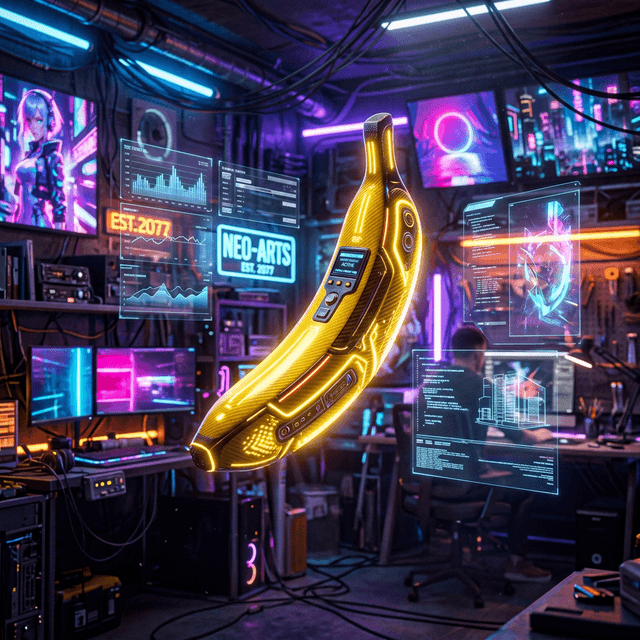
好的 Nano Banana 2 提示词更像一份简洁的编辑需求:说明要改什么、画面上下文是什么、哪些细节必须保留,以及最终图片用在哪里。下面的 12 个示例可以直接复制,再替换成你的主体和场景。
先分清 Nano Banana 2、Pro 和 Lite
Google 官方目前把 Nano Banana 2(Gemini 3.1 Flash Image)作为兼顾质量、速度和成本的通用选择;Nano Banana Pro 面向复杂创意、品牌一致性和更精细控制;Nano Banana 2 Lite 更强调低延迟和成本,但不适合复杂的多参考图或连续编辑。旧版 Nano Banana(Gemini 2.5 Flash Image)则已属于上一代。
通用结构:动作 + 上下文 + 保留约束 + 输出目标
动作:替换、移除、扩展或重新布光
上下文:主体、环境、光线、镜头和关系
保留约束:哪些人物、产品、文字和构图不能变
输出目标:最终用途、比例和必要留白
对编辑任务来说,“保持不变”往往和“改成什么”同样重要。不要只写“换一个高级背景”,而要明确人物、商品、机位、光线方向和品牌元素是否允许变化。
4 组图片编辑效果示例
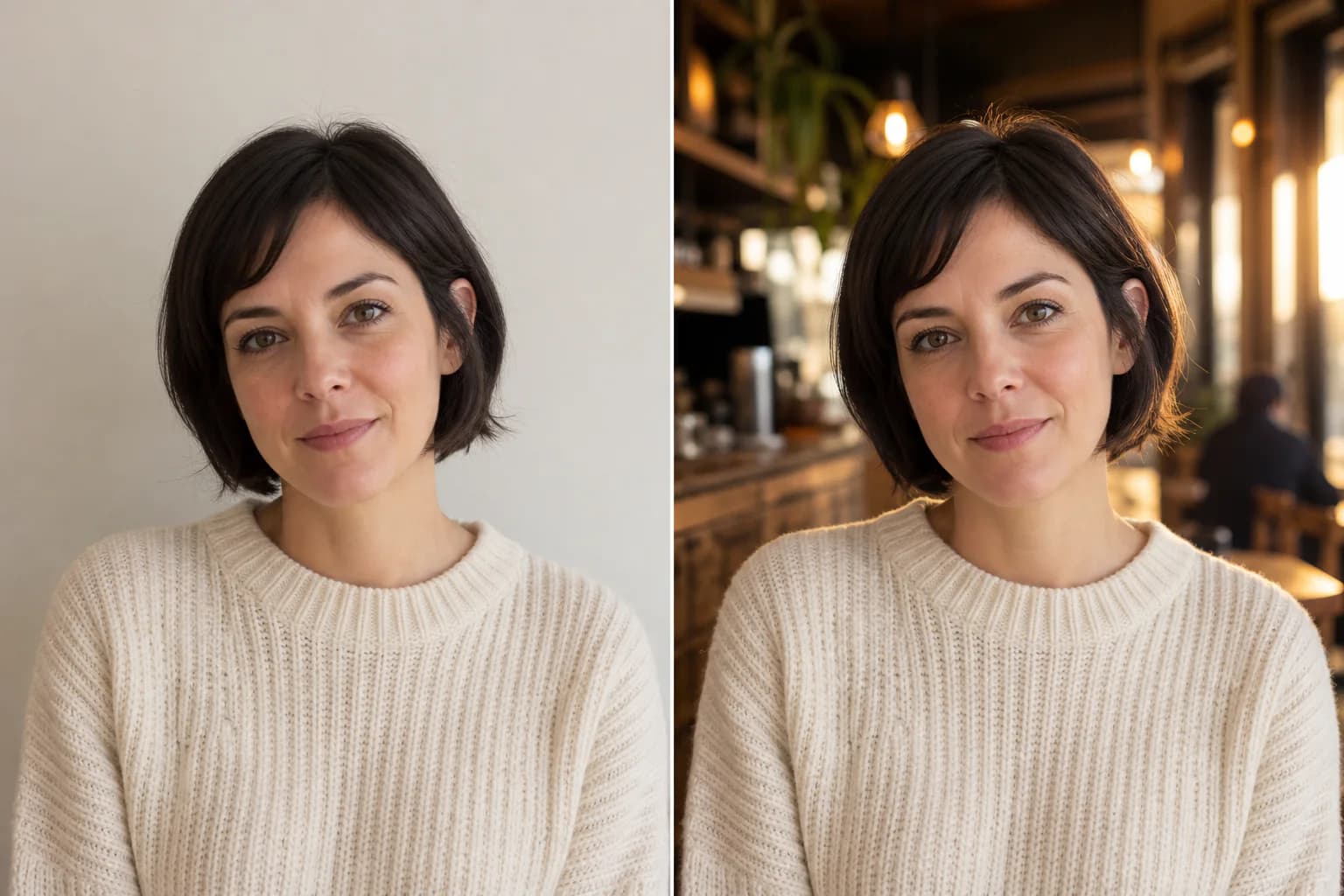
替换背景,但不改变主体
Replace the background with a warm, modern café interior at golden hour. Match the original light direction and depth of field. Keep the person’s face, hair, pose, clothing, body proportions, and camera angle unchanged. Deliver a natural 4:5 editorial portrait.
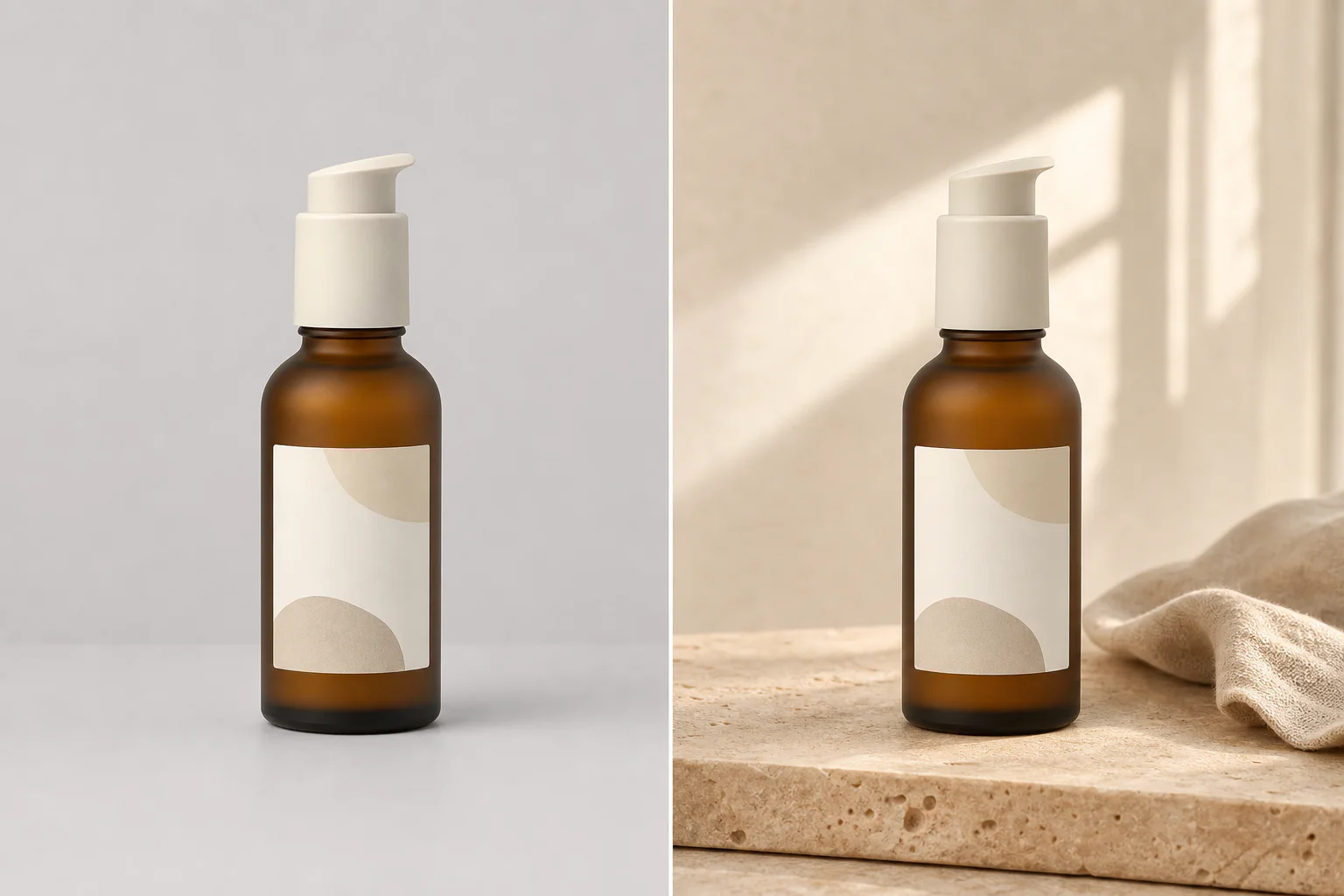
制作生活方式商品场景
Place the uploaded skincare bottle on warm beige travertine beside a small folded linen cloth. Use soft morning window light and restrained shadows. Preserve the bottle geometry, label placement, logo, cap, and product color exactly. Create a premium 4:5 beauty campaign image.
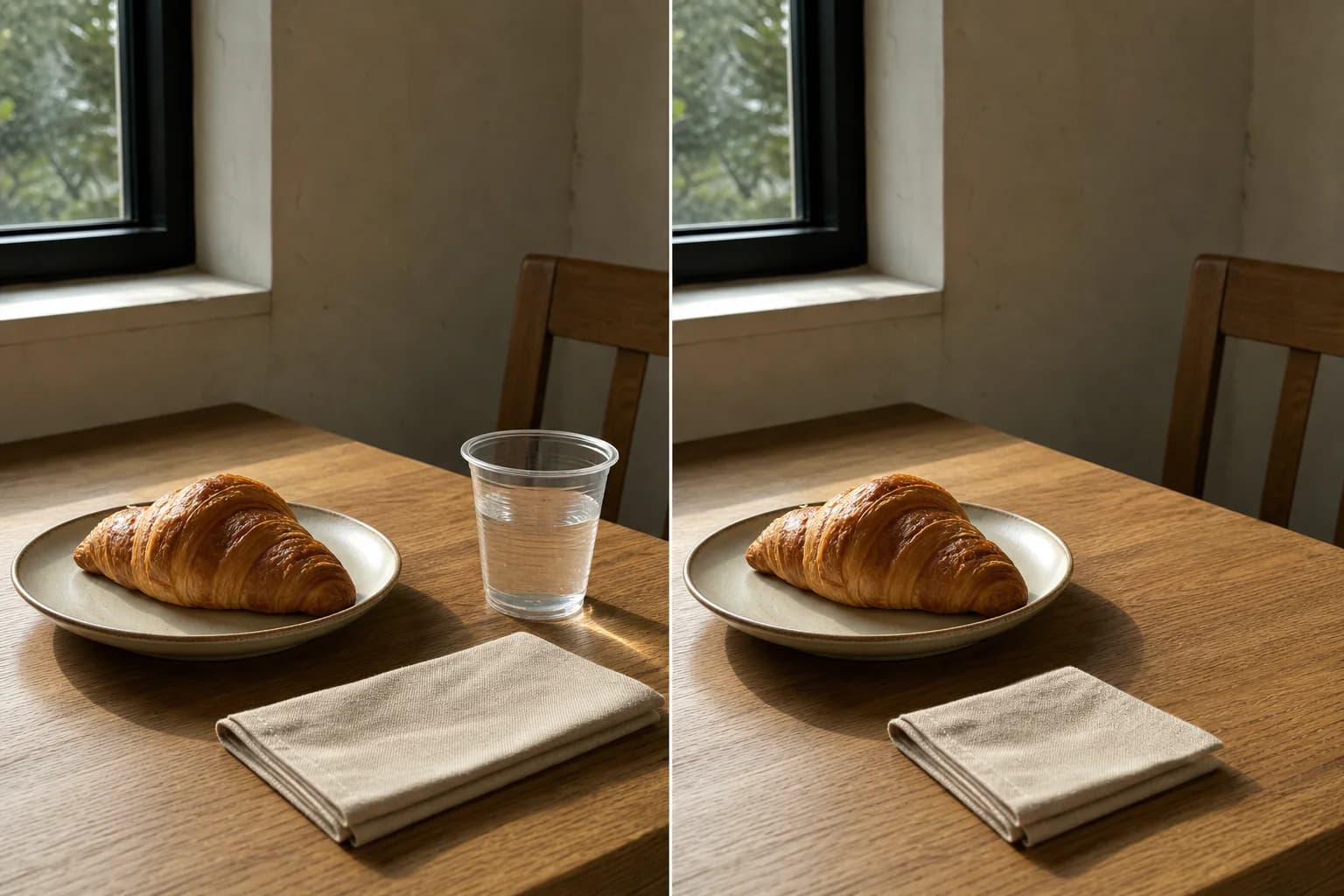
移除干扰物
Remove the plastic cup from the right side of the table. Reconstruct the hidden tabletop texture and shadow naturally. Keep every other object, the crop, perspective, color balance, and lighting unchanged.
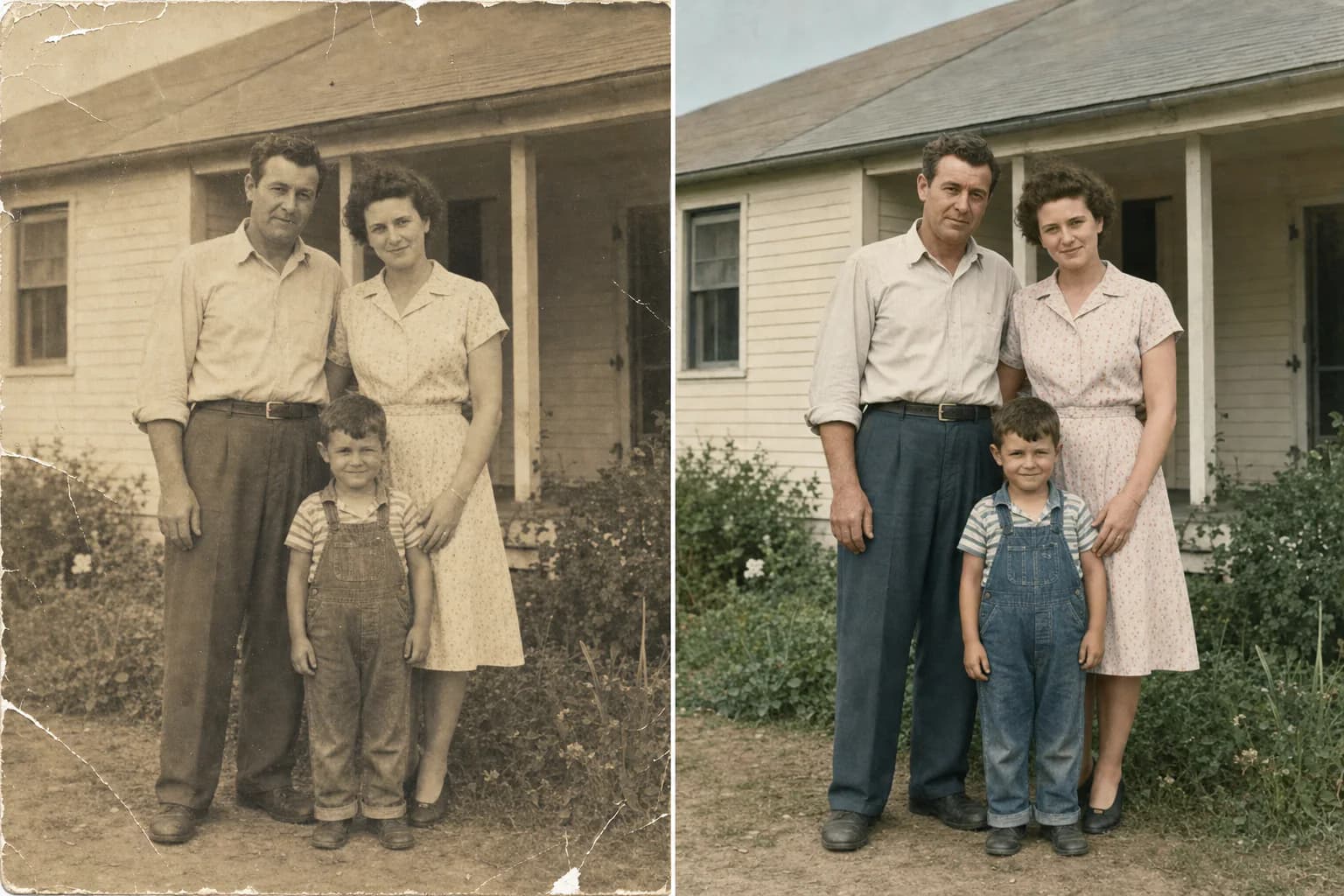
保守修复老照片
Restore this old photograph conservatively. Remove dust, scratches, small tears, and color fading while preserving every person’s identity, expression, clothing, pose, background objects, original crop, and period character. Keep natural film grain and avoid modern beauty retouching.
12 个可复制并改写的 Prompt
1. 替换背景,但不改变主体
适合人像、商品图和活动素材变体Replace the background with a warm, modern café interior at golden hour. Match the original light direction and depth of field. Keep the person’s face, hair, pose, clothing, body proportions, and camera angle unchanged. Deliver a natural 4:5 editorial portrait.
2. 移除干扰物
适合清理商品图和生活方式照片Remove the plastic cup from the right side of the table. Reconstruct the hidden tabletop texture and shadow naturally. Keep every other object, the crop, perspective, color balance, and lighting unchanged.
3. 扩展画面制作横幅
适合网站 Hero 和社媒横幅Extend the image to 16:9 by adding believable environment on both sides. Keep the subject in the same size and position. Continue the existing architecture, light, perspective, grain, and color palette. Leave clean negative space on the left for a headline.
4. 制作电商白底商品图
适合电商主图和产品目录Turn this product photo into a clean ecommerce hero image on a seamless pure-white background. Keep the product shape, label, logo, colors, proportions, and cap design unchanged. Add a soft contact shadow and accurate material reflections. Center the product in a 1:1 frame.
5. 制作生活方式商品场景
适合广告、落地页和社媒素材Place the uploaded skincare bottle on warm beige travertine beside a small folded linen cloth. Use soft morning window light and restrained shadows. Preserve the bottle geometry, label placement, logo, cap, and product color exactly. Create a premium 4:5 beauty campaign image.
6. 保护包装与标签细节
适合标签和品牌资产必须准确的商品Improve the lighting and background of this packaging photo without redesigning the package. Keep every printed word, logo, barcode, color, edge, fold, and proportion unchanged. Use a soft charcoal studio background with controlled rim light and a realistic contact shadow.
7. 制作职业头像
适合个人资料、团队页面和简历Convert this photo into a professional headshot with a neutral light-gray studio background and soft frontal lighting. Keep the person’s identity, facial features, skin tone, hairstyle, age, and expression unchanged. Crop from the chest up in a clean 4:5 composition.
8. 更换服装但保持身份
适合服装测试和人物素材变体Replace the casual shirt with a tailored navy blazer over a plain white crew-neck top. Keep the face, hair, body shape, pose, hands, background, camera angle, and lighting unchanged. Make the fabric and fit look natural, with no added jewelry or logos.
9. 保持角色跨场景一致
适合分镜、漫画和系列视觉Use the reference character without changing her short black bob, round glasses, yellow raincoat, red backpack, facial proportions, or illustration style. Place her waiting at a quiet train platform at blue hour, holding a paper ticket. Use a medium-wide 16:9 composition.
10. 制作带准确标题的海报
适合活动概念稿和社媒海报Create a vertical event poster using the exact headline “DESIGN AFTER DARK” and the exact date “26 JULY 2026”. Use one bold sans-serif typeface, strong hierarchy, generous margins, and a black, cobalt, and silver palette. Do not add any other words, logos, or decorative text.
11. 把信息整理成简洁信息图
适合知识解释和内部沟通Create a clean 16:9 infographic titled “IMAGE TO PROMPT WORKFLOW”. Show four numbered steps: 1 Upload, 2 Analyze, 3 Edit, 4 Generate. Use simple icons, one short line per step, high contrast, and generous spacing. Do not add statistics, extra claims, or decorative body text.
12. 保守修复老照片
适合划痕、褪色和轻微损坏Restore this old photograph conservatively. Remove dust, scratches, small tears, and color fading while preserving every person’s identity, expression, clothing, pose, background objects, original crop, and period character. Keep natural film grain and avoid modern beauty retouching.
怎样把模板改成自己的版本
- 先只改主体、场景和最终用途,不要一次重写全部结构。
- 列出 3–6 个必须保持不变的可见细节,例如脸、Logo、标签位置和镜头。
- 一次只改变一个变量,保存上一轮结果作为新的参考图。
- 把“更好看”“更高级”换成光线、材质、色彩和构图等可见要求。
常见失败以及怎么修
| 问题 | 常见原因 | 修正方式 |
|---|---|---|
| 主体被改掉 | 只描述新场景,没有保留约束 | 逐项写明身份、外观、比例、姿势和机位不变 |
| 包装文字失真 | 同时要求重新设计和保留原标签 | 禁止重设计,并在发布前逐字核对 |
| 画面变化太多 | 一轮同时改背景、服装、角度和光线 | 拆成多轮,每轮只改一个变量 |
| 海报多出文字 | 没有限定允许出现的全部文本 | 使用 exact text,并明确禁止其他文字 |
下一步
如果你从参考图开始,先阅读图片转 Prompt 操作指南。商品图可以继续使用产品摄影 Prompt 模板;需要排除畸形、乱码或杂乱背景时,再参考Negative Prompt 示例。
继续阅读
继续查看相关 Prompt 指南、模型对比和实战示例。