Image to Prompt Examples
Three References, Three Editing Decisions
There is no single correct prompt for a reference image. These examples show a more useful process: read the visible scene, decide what deserves to stay, and turn those observations into a prompt that remains easy to edit.
The examples use reference images already available on this site. The prompts below are editorial reconstructions based on visible details, not recovered generation history.
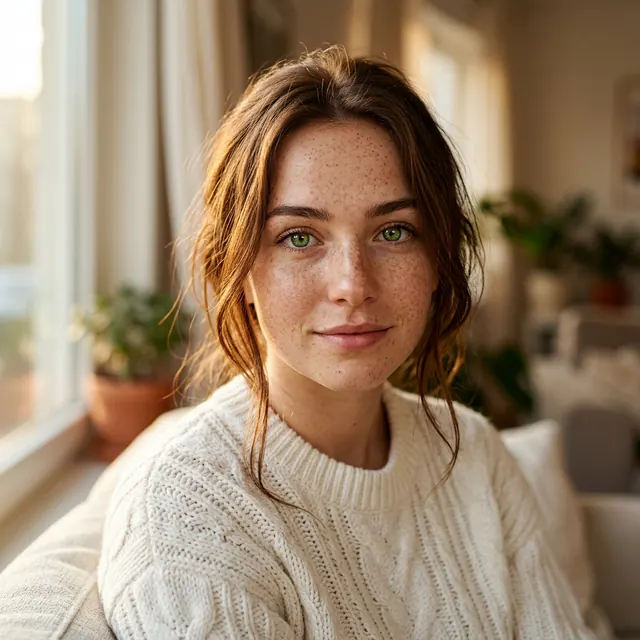
Example 1: A natural-light portrait
A weak extractor may return “a beautiful woman outdoors, realistic photo.” That gets the category right and almost everything useful wrong. Beauty and realism do not tell us where the camera is or why the face looks softly lit.
A young woman outdoors, blurred background, soft natural light, realistic photography.
Half-length environmental portrait of a young woman, body turned slightly toward the camera, relaxed expression, soft daylight falling from the front-left, natural skin texture, a faint rim of light around her hair, green foliage blurred into the background, shallow depth of field, medium portrait lens, restrained natural color, candid lifestyle photography.
What changed
- “Outdoors” became a green foliage background.
- Framing, body angle, and light direction were added.
- “Professional photo” was replaced with camera and depth cues.
To borrow only the lighting, replace the person and setting while keeping the front-side softness and hair rim light.
Example 2: A misty forest
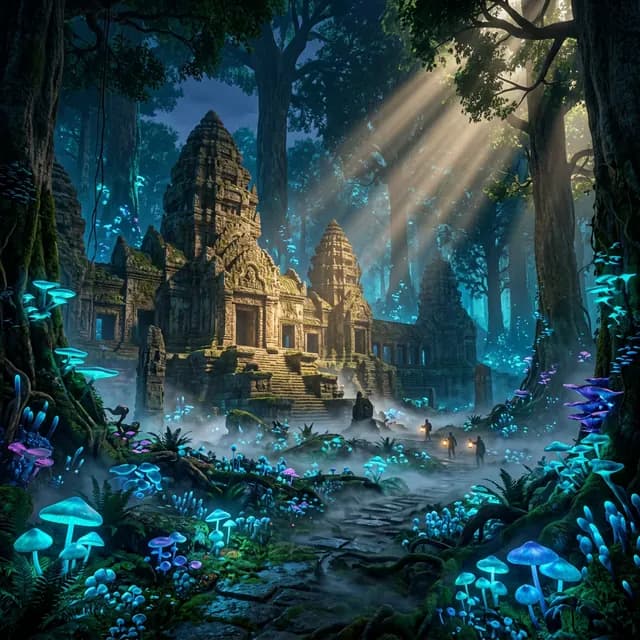
The hard part is not recognizing a forest. It is describing depth. Without a relationship between foreground trunks, mist, path, and distant light, the model often produces a flat wall of trees.
A misty forest at sunrise, sunlight through the trees, peaceful atmosphere.
A narrow path leading into a conifer forest at dawn, seen from a low viewpoint, nearby trunks forming a natural frame, thin mist separating foreground from distant trees, warm sunlight entering from the back-right and forming visible rays through the canopy, damp ground with patches of moss, cool green shadows against golden highlights, quiet natural landscape photography.
What changed
- The path and framing give the eye somewhere to enter.
- Mist has a spatial job instead of being a mood word.
- The light direction and warm-cool contrast are explicit.
To turn this into fantasy art, keep the spatial structure and light, replace “natural landscape photography” with a hand-painted concept-art direction, then add a new subject.
Example 3: A colorful cartoon scene
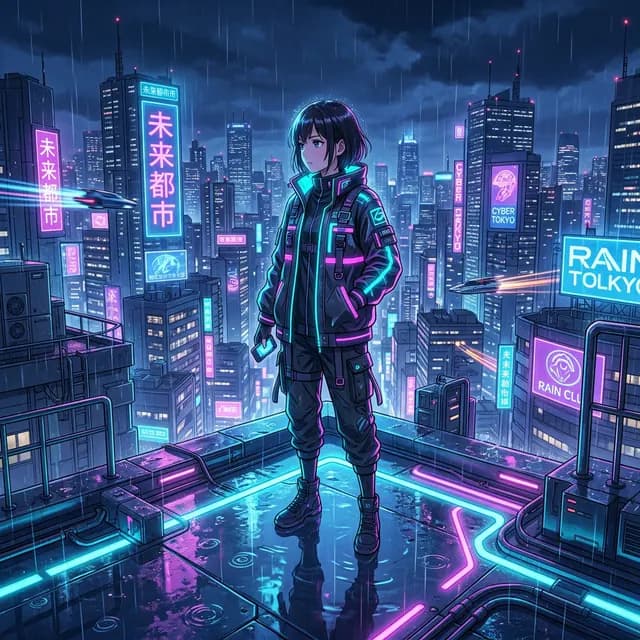
Illustrations often attract a pile of style labels: cute, dreamy, whimsical, 3D, animated. Those labels overlap and still fail to explain the shapes or palette.
A colorful cartoon town, cute and whimsical animation style.
Bright cartoon town street with rounded little houses arranged along a curving road, roofs and windows built from exaggerated simple geometric shapes, soft grass and small flowers in the foreground, clear sky, palette led by teal, coral orange, and cream yellow, even soft daylight, handcrafted clay-like materials, simplified detail, friendly children's animation scene.
What changed
- Rounded shapes and a curved road explain where “cute” comes from.
- The palette replaces the vague phrase “colorful.”
- Handcrafted clay gives the 3D look a material.
Three ways to use the same extraction
- Stay close: keep subject, framing, light, and medium; correct only mistakes.
- Borrow the visual language: preserve palette, camera, or material while replacing the scene.
- Use it as a study note: collect vocabulary for composition and lighting before generating anything.
Longer does not automatically mean more accurate
A good prompt explains the relationships that control the image. It can be detailed or compact. A useful test is to remove one phrase and ask whether the picture would change in an obvious way. If not, that phrase probably does not earn its place.
New to the workflow? Start with the image-to-prompt basics, then use the step-by-step conversion guide on your own reference.
Related articles
Keep reading with practical prompt guides, model comparisons, and workflow examples.
How to Convert an Image to a Prompt: Step-by-Step Guide
A practical workflow for extracting a prompt, correcting visual details, and adapting the result to the image model you use.
What Is Image to Prompt? A Practical Beginner Guide
Learn what image-to-prompt tools actually extract, where they help, what they miss, and how to judge the result.
Best AI Image Generators in 2026: A Workflow Comparison
Compare Midjourney V8.2, GPT Image 2, Nano Banana 2, FLUX.2, and Stable Diffusion 3.5 by the creative job you need to finish.
The image-to-prompt service has ended
The generator is offline. Visit the homepage for the full service update.