Nano Banana 2 Prompts
12 Practical Image Editing Examples
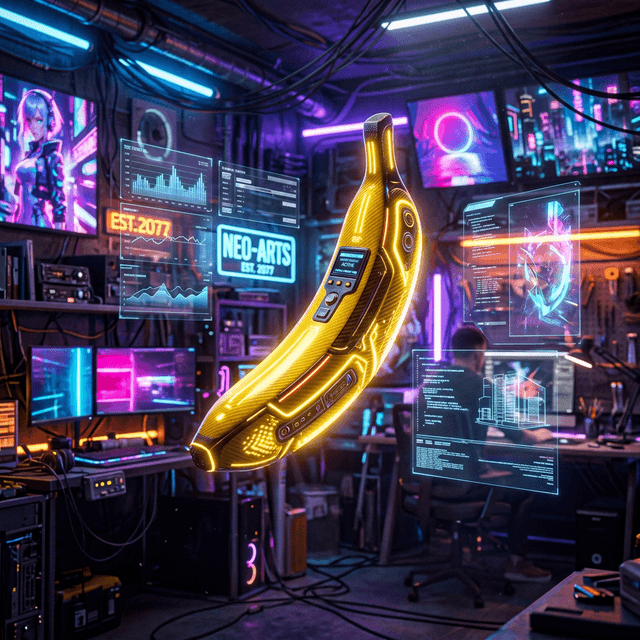
A good Nano Banana 2 prompt reads like a concise editing brief: state what should change, describe the visual context, protect what must remain, and define the final use. Copy any of the 12 examples below, then replace the subject and scene details.
Nano Banana 2, Pro, and Lite are different tiers
Google currently positions Nano Banana 2 (Gemini 3.1 Flash Image) as the general-purpose balance of quality, speed, and cost. Nano Banana Pro targets complex creative work and brand consistency. Nano Banana 2 Lite prioritizes latency and cost, but is not intended for demanding multi-reference or sequential editing. The original Nano Banana is now the legacy generation.
Read Google’s official image generation guide
The core structure: action + context + preservation + output
Action: replace, remove, extend, or relight
Context: subject, environment, light, camera, and relationships
Preservation: people, products, text, and composition that must not change
Output: final use, aspect ratio, and required negative space
For editing, what must stay unchanged is often as important as the requested change. Do not stop at “use a premium background.” Say whether the person, product, camera angle, light direction, and brand elements may change.
4 visual image-editing examples
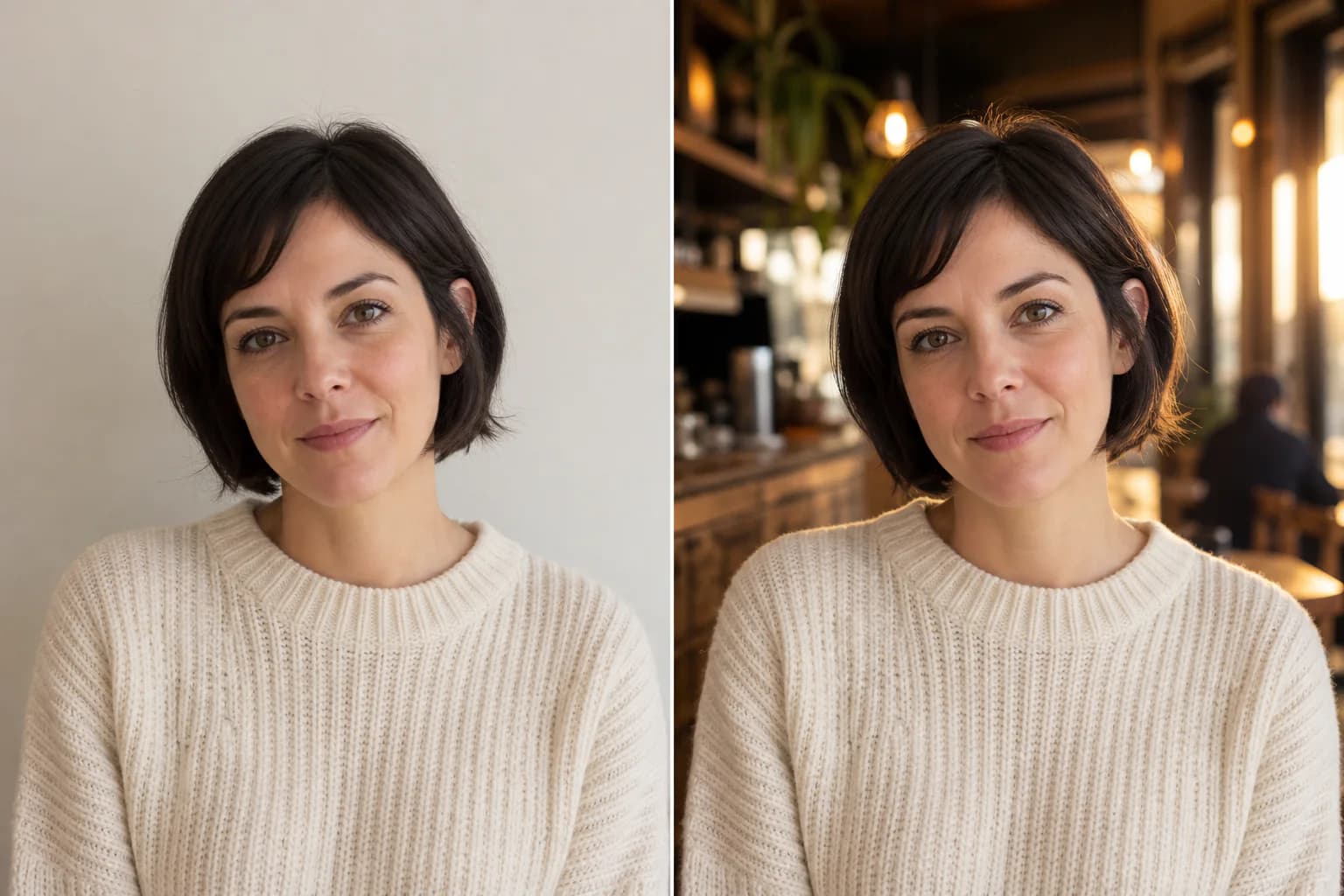
Replace a background without changing the subject
Replace the background with a warm, modern café interior at golden hour. Match the original light direction and depth of field. Keep the person’s face, hair, pose, clothing, body proportions, and camera angle unchanged. Deliver a natural 4:5 editorial portrait.
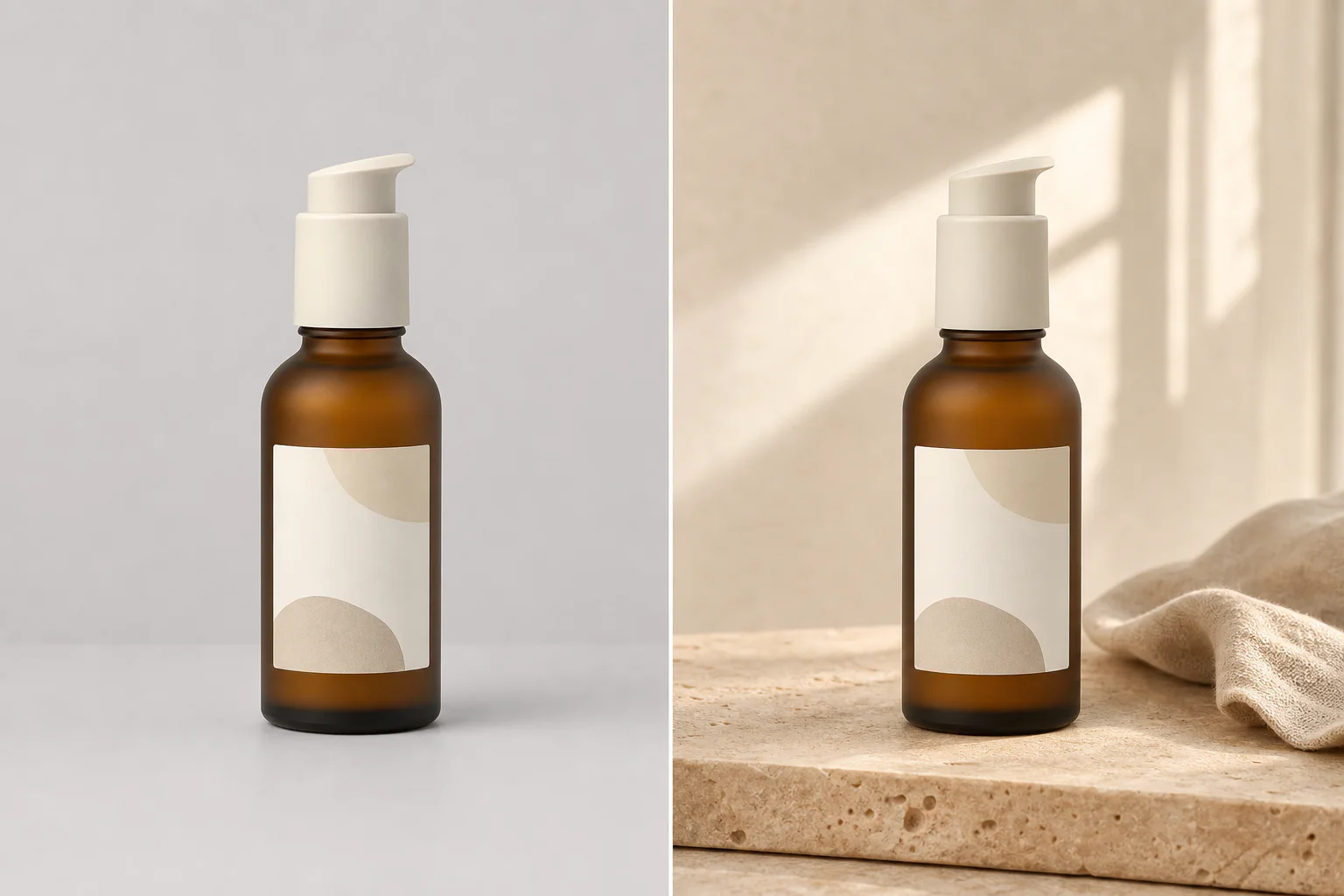
Build a lifestyle product scene
Place the uploaded skincare bottle on warm beige travertine beside a small folded linen cloth. Use soft morning window light and restrained shadows. Preserve the bottle geometry, label placement, logo, cap, and product color exactly. Create a premium 4:5 beauty campaign image.
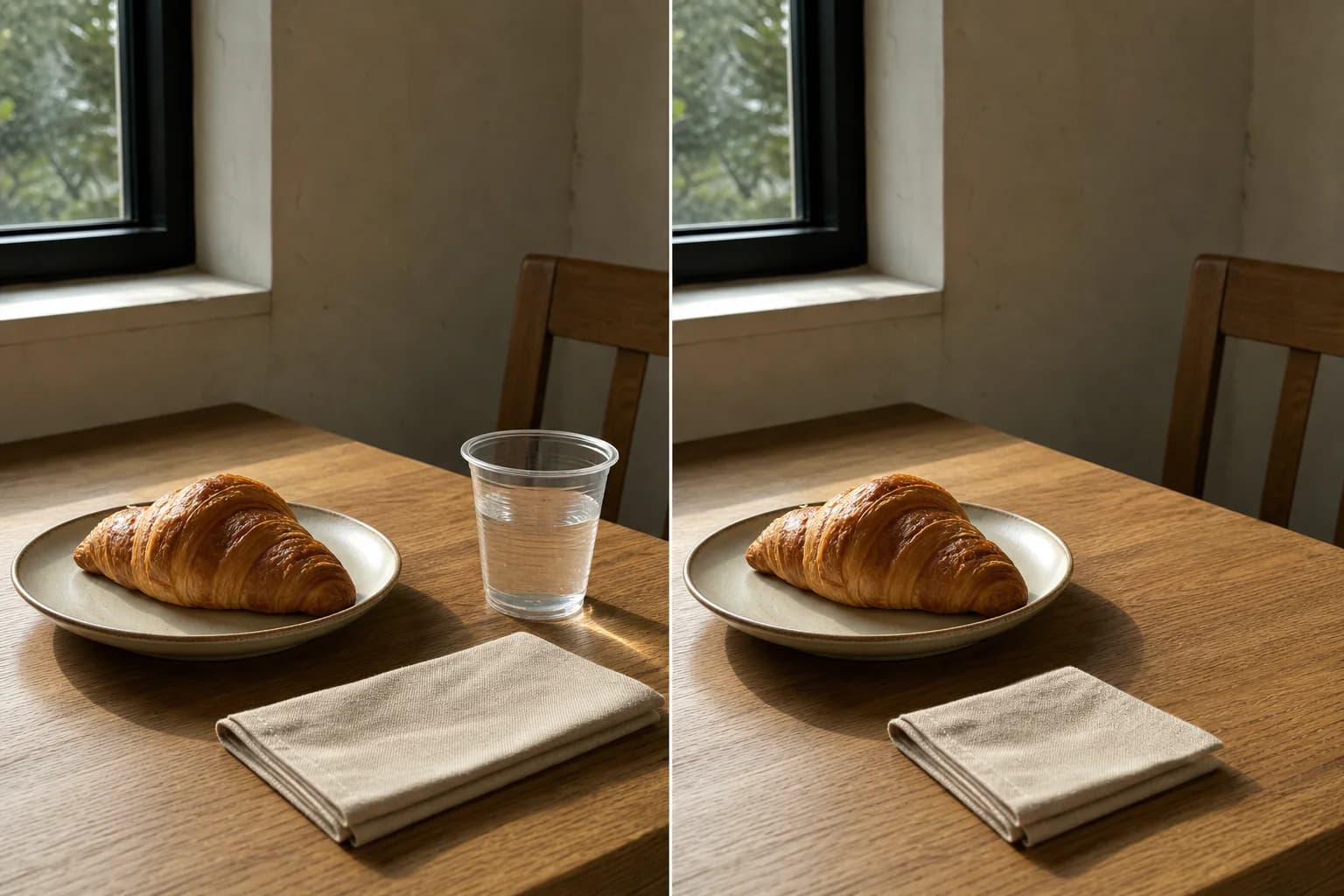
Remove a distracting object
Remove the plastic cup from the right side of the table. Reconstruct the hidden tabletop texture and shadow naturally. Keep every other object, the crop, perspective, color balance, and lighting unchanged.
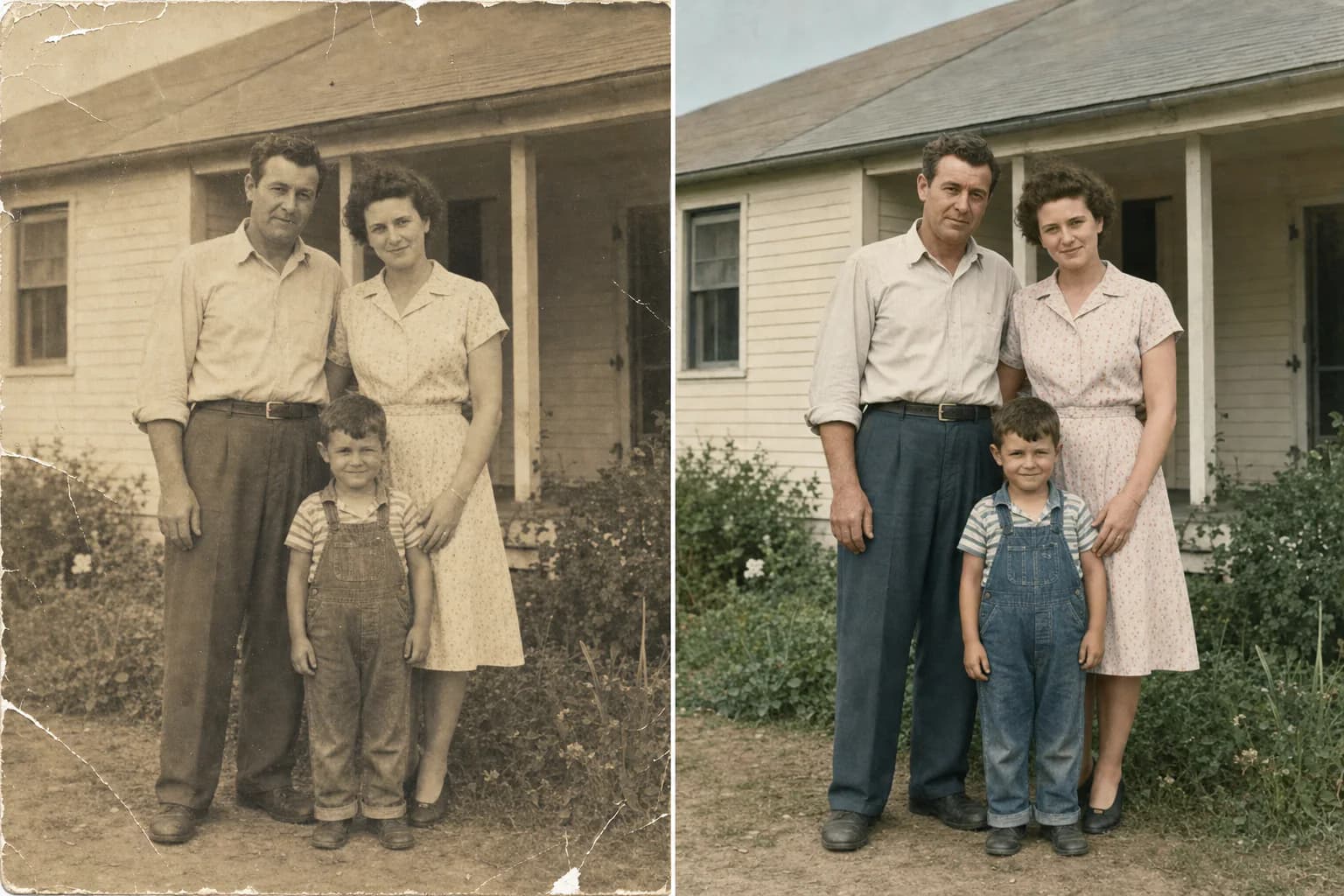
Restore an old photo conservatively
Restore this old photograph conservatively. Remove dust, scratches, small tears, and color fading while preserving every person’s identity, expression, clothing, pose, background objects, original crop, and period character. Keep natural film grain and avoid modern beauty retouching.
12 copy-and-adapt prompts
1. Replace a background without changing the subject
Portraits, products, and campaign variationsReplace the background with a warm, modern café interior at golden hour. Match the original light direction and depth of field. Keep the person’s face, hair, pose, clothing, body proportions, and camera angle unchanged. Deliver a natural 4:5 editorial portrait.
2. Remove a distracting object
Clean product and lifestyle photosRemove the plastic cup from the right side of the table. Reconstruct the hidden tabletop texture and shadow naturally. Keep every other object, the crop, perspective, color balance, and lighting unchanged.
3. Extend an image for a banner
Website heroes and social headersExtend the image to 16:9 by adding believable environment on both sides. Keep the subject in the same size and position. Continue the existing architecture, light, perspective, grain, and color palette. Leave clean negative space on the left for a headline.
4. Create a clean ecommerce product photo
Marketplace listings and catalogsTurn this product photo into a clean ecommerce hero image on a seamless pure-white background. Keep the product shape, label, logo, colors, proportions, and cap design unchanged. Add a soft contact shadow and accurate material reflections. Center the product in a 1:1 frame.
5. Build a lifestyle product scene
Ads, landing pages, and social postsPlace the uploaded skincare bottle on warm beige travertine beside a small folded linen cloth. Use soft morning window light and restrained shadows. Preserve the bottle geometry, label placement, logo, cap, and product color exactly. Create a premium 4:5 beauty campaign image.
6. Protect packaging and label details
Products with important brand assetsImprove the lighting and background of this packaging photo without redesigning the package. Keep every printed word, logo, barcode, color, edge, fold, and proportion unchanged. Use a soft charcoal studio background with controlled rim light and a realistic contact shadow.
7. Create a professional headshot
Profiles, team pages, and resumesConvert this photo into a professional headshot with a neutral light-gray studio background and soft frontal lighting. Keep the person’s identity, facial features, skin tone, hairstyle, age, and expression unchanged. Crop from the chest up in a clean 4:5 composition.
8. Change clothing while preserving identity
Wardrobe tests and campaign variationsReplace the casual shirt with a tailored navy blazer over a plain white crew-neck top. Keep the face, hair, body shape, pose, hands, background, camera angle, and lighting unchanged. Make the fabric and fit look natural, with no added jewelry or logos.
9. Keep a character consistent across scenes
Storyboards, comics, and visual seriesUse the reference character without changing her short black bob, round glasses, yellow raincoat, red backpack, facial proportions, or illustration style. Place her waiting at a quiet train platform at blue hour, holding a paper ticket. Use a medium-wide 16:9 composition.
10. Create a poster with exact headline text
Event concepts and social graphicsCreate a vertical event poster using the exact headline “DESIGN AFTER DARK” and the exact date “26 JULY 2026”. Use one bold sans-serif typeface, strong hierarchy, generous margins, and a black, cobalt, and silver palette. Do not add any other words, logos, or decorative text.
11. Turn information into a simple infographic
Educational and internal communicationCreate a clean 16:9 infographic titled “IMAGE TO PROMPT WORKFLOW”. Show four numbered steps: 1 Upload, 2 Analyze, 3 Edit, 4 Generate. Use simple icons, one short line per step, high contrast, and generous spacing. Do not add statistics, extra claims, or decorative body text.
12. Restore an old photo conservatively
Scratches, fading, and minor damageRestore this old photograph conservatively. Remove dust, scratches, small tears, and color fading while preserving every person’s identity, expression, clothing, pose, background objects, original crop, and period character. Keep natural film grain and avoid modern beauty retouching.
How to adapt a template to your image
- Change the subject, scene, and final use first. Keep the structure intact.
- List three to six visible details that must remain, such as a face, logo, label position, or camera angle.
- Change one variable per turn and keep the previous result as the next reference.
- Replace vague words such as “better” or “premium” with visible requirements for light, material, color, and composition.
Common failures and how to repair them
| Problem | Likely cause | Repair |
|---|---|---|
| Subject changes | New scene described without preservation constraints | Lock identity, appearance, proportions, pose, and camera angle |
| Packaging text drifts | The prompt asks for redesign and preservation at once | Forbid redesign and verify every character before publishing |
| Too much changes | Background, clothing, angle, and light changed together | Split the job into turns and change one variable each time |
| Poster adds text | Allowed text was not exhaustively defined | Use exact text and explicitly forbid additional copy |
Next step
If you are starting from a reference, follow the image-to-prompt workflow. For commercial images, continue with the product photography prompt templates. Use the negative prompt examples when you need to target anatomy, text, or background failures.
Related articles
Keep reading with practical prompt guides, model comparisons, and workflow examples.
Negative Prompt Examples: Improve AI Image Quality Faster
Use practical negative prompt examples to remove extra fingers, bad anatomy, warped text, messy backgrounds, low detail, and other common AI image problems.
Product Photo Prompt Templates: Copy-and-Use Formulas for Better AI Product Images
Use practical product photo prompt templates for skincare, tech, jewelry, food, and premium studio setups. Copy the formulas, swap the details, and refine faster.
How an AI Anime Image Generator Brings Your Imagination to Life
Discover the magic behind AI anime image generators. Learn how to craft the perfect prompts to generate stunning anime art, featuring interactive prompt templates.
The image-to-prompt service has ended
The generator is offline. Visit the homepage for the full service update.